EN



How to Integrate an Industrial Inkjet Printer into a Line
Integrating an industrial inkjet printer into a production line requires careful planning, technical understanding, and proper supplier coordination. An industrial inkjet printer serves as a critical component for applying codes, dates, barcodes, and product information directly onto manufactured items at high speeds. This integration process involves more than simply connecting equipment; it demands assessment of your production workflow, identification of the right supplier, selection of compatible technology, and validation of system performance within your operational environment.
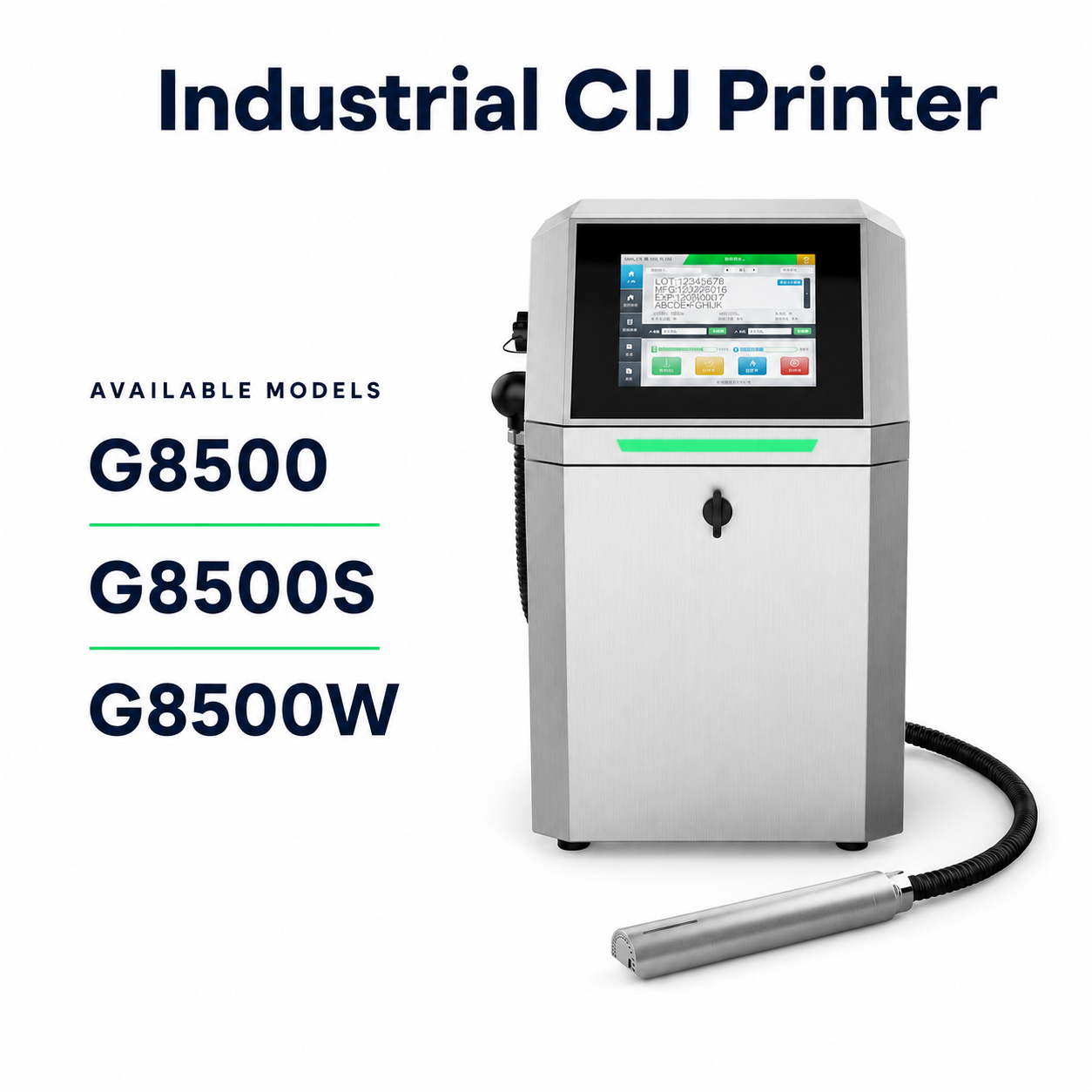
The success of your integration depends on understanding both the technical specifications and the operational demands of your line. Different production environments, product materials, line speeds, and regulatory requirements create unique integration scenarios. Whether you manufacture packaged goods, industrial components, or specialty products, selecting the appropriate industrial inkjet printer and working with an experienced supplier ensures seamless implementation and long-term reliability.
Assessing Your Production Environment and Requirements
Evaluating Line Speed and Space Constraints
Before selecting an industrial inkjet printer, analyze your current production line speed, measured in meters per minute or products per hour. The printer must keep pace with your output without creating bottlenecks or requiring line slowdown. Simultaneously, measure the available installation space along your conveyor or production path. Some facilities have limited real estate, requiring compact printer heads or alternative mounting positions. A qualified supplier will help measure exact dimensions, mounting points, and electrical proximity to ensure the industrial inkjet printer fits your physical layout without disrupting existing equipment positioning.
Identifying Substrate Types and Print Requirements
Your product material directly influences printer technology selection. Porous surfaces like cardboard, labels, and paper require different ink formulations than non-porous materials such as plastics, metals, or glass. An industrial inkjet printer designed for textile printing, for example, will not perform optimally on rigid industrial components. Document the exact print requirements: character size, print density, color needs, and permanence demands. Discuss these specifications thoroughly with your supplier, who can recommend ink chemistry, nozzle configuration, and printer model that match your substrates and regulatory compliance needs.
Selecting the Right Supplier and Equipment Partnership
Evaluating Supplier Technical Expertise and Support
Your supplier relationship significantly impacts integration success and long-term satisfaction. Choose a supplier who demonstrates deep knowledge of industrial inkjet printer systems, understands your industry's standards, and can provide comprehensive support. A reliable supplier offers pre-installation consultation, including site assessment, equipment recommendations, and integration planning. They should provide installation guidance, operator training, maintenance protocols, and responsive technical support. Verify that your supplier stocks replacement parts, offers genuine consumables, and provides troubleshooting assistance during and after the integration process. Strong supplier partnerships reduce downtime, improve system performance, and extend equipment life.
Comparing Technology Options and Specifications
The industrial inkjet printer market offers several technologies: continuous inkjet, drop-on-demand piezoelectric, thermal inkjet, and laser-based systems. Each technology has distinct advantages for different applications. Continuous inkjet excels at high-speed coding on diverse surfaces but generates aerosol requiring ventilation. Drop-on-demand piezoelectric offers precision, lower ink consumption, and environmental benefits, making it ideal for high-quality variable data printing. Thermal inkjet suits cost-sensitive, lower-volume applications. Your supplier should explain which technology matches your speed requirements, quality standards, maintenance tolerance, and budget constraints. Request demonstration runs on your actual products whenever possible to confirm performance before purchase.
Integration Planning and Implementation
Coordinating Physical Installation and System Architecture
Successful integration requires coordination between your maintenance team, production management, and the supplier's installation specialists. Plan the installation timeline to minimize production disruption, ideally during scheduled downtime or low-production periods. Ensure electrical infrastructure can support the industrial inkjet printer's power requirements, including dedicated circuits and proper grounding. Install compressed air supply if your printer model requires it, verifying air quality and pressure consistency. Configure software connectivity so the printer receives product data seamlessly from your manufacturing execution system or central database. Your supplier must validate all connections, run test patterns, and confirm print quality before resuming full production operations.
Training, Documentation, and Performance Validation
After physical installation, comprehensive operator and maintenance staff training ensures proper use and care. Your supplier should provide detailed documentation including operational procedures, safety protocols, regular maintenance schedules, and troubleshooting guides. Run extended test cycles on representative products to validate print quality, consistency, and throughput under realistic conditions. Establish baseline performance metrics: print defect rates, mean time between failures, and ink consumption efficiency. Document these measurements so future issues become immediately apparent when performance deviates. Regular communication with your supplier during the post-integration period helps identify and resolve emerging problems before they impact production quality or reliability.
FAQ
What specifications should I prioritize when selecting an industrial inkjet printer for my production line?
Prioritize line speed compatibility, substrate suitability, print quality resolution, and maintenance requirements. Your industrial inkjet printer must match or exceed your production output without requiring line slowdown. The ink and nozzle technology must perform reliably on your specific materials. Resolution must meet regulatory and quality standards for your industry. Additionally, consider consumable costs, spare parts availability, and the supplier's support responsiveness, as these factors impact total cost of ownership over the printer's lifespan.
How can I find a reliable supplier for an industrial inkjet printer system?
Seek suppliers with established track records in your industry, positive customer references, and demonstrated technical expertise. Request site visits or demonstrations where the industrial inkjet printer operates under conditions similar to yours. Verify that the supplier maintains local inventory of parts and consumables, offers timely technical support, and provides comprehensive training. Check industry forums and professional associations for supplier recommendations. A quality supplier invests time understanding your unique needs rather than offering generic solutions.
What post-integration support should I expect from my supplier after installation?
Your supplier should provide operator and technician training, detailed technical documentation, and responsive support during your initial production runs. They should conduct follow-up assessments to confirm the industrial inkjet printer meets performance expectations and troubleshoot any early issues. Establish clear communication protocols for reporting problems and requesting assistance. Quality suppliers offer ongoing preventive maintenance guidance, consumables replenishment services, and periodic system upgrades to keep your equipment current and performing optimally throughout its operational life.