EN
EN



Small Character Inkjet Printer Maintenance Step by Step
A small character inkjet printer is a precision device that requires consistent care to maintain optimal performance and longevity. Regular maintenance prevents costly downtime, extends equipment life, and ensures reliable code quality for product identification and traceability. Whether you operate a single unit or multiple devices across your production line, understanding the proper maintenance sequence is essential for protecting your investment and meeting regulatory compliance requirements.
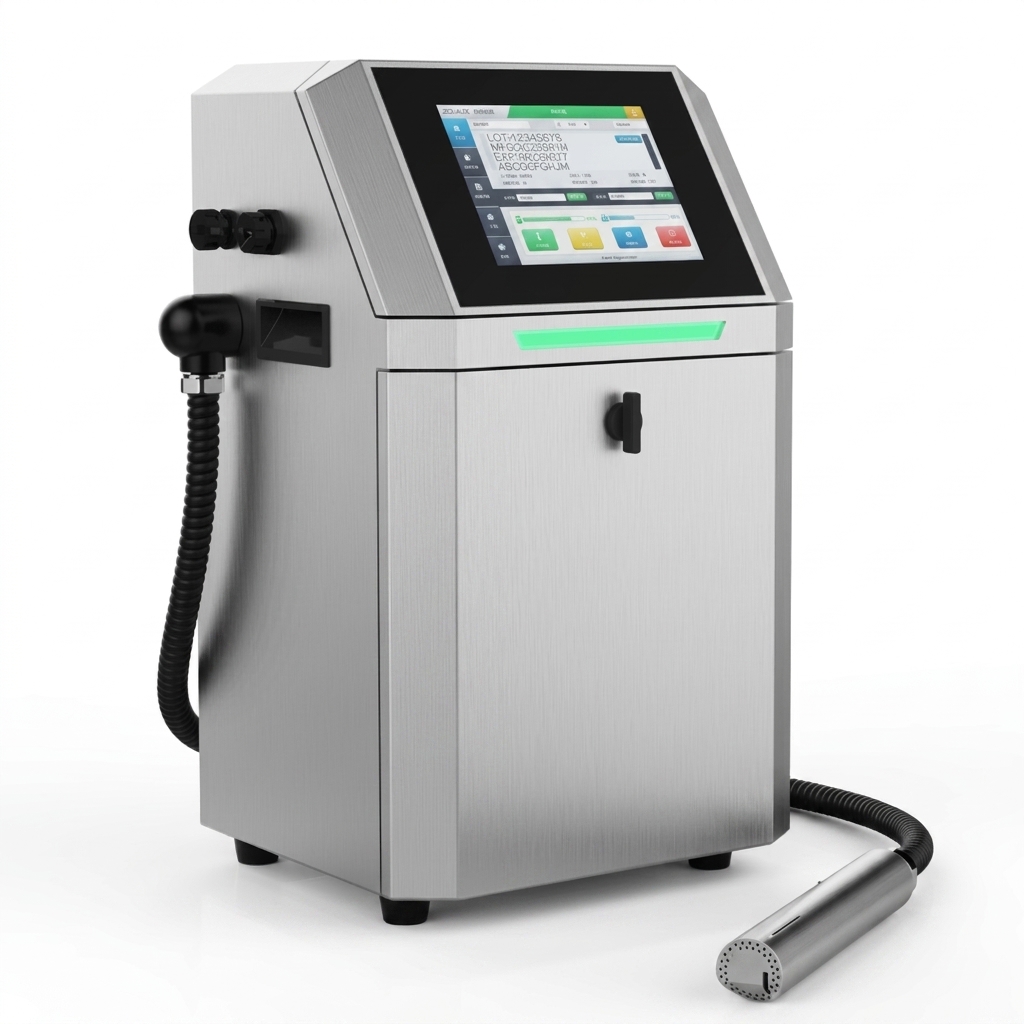
Maintaining your small character inkjet printer involves daily checks, weekly deep cleaning, and periodic component replacement. Each maintenance phase targets different aspects of the system, from printhead health to ink supply management. By following a structured maintenance protocol, you can avoid sudden equipment failures, reduce ink waste, and preserve print quality throughout the device's operational life.
Daily Maintenance Routines for Peak Performance
Pre-Print System Checks
Before starting production, inspect your small character inkjet printer for visible signs of wear, ink leaks, or clogged nozzles. Check the ink levels in all color cartridges and verify that the solvent reservoir contains adequate liquid for proper operation. Test the print quality with a brief diagnostic run to confirm that characters appear sharp and uniform. These pre-shift checks take only five minutes but prevent mid-production surprises that disrupt workflow and compromise product coding accuracy.
Nozzle and Printhead Care
The printhead is the most critical component in a small character inkjet printer system. Use the built-in printhead cleaning cycle at the start of each workday to clear minor ink residue and maintain nozzle clarity. If you notice streaky or faded characters during testing, run a deep clean cycle immediately rather than waiting until end-of-shift. Many operational failures stem from neglected printhead maintenance, making this daily ritual non-negotiable for consistent output quality.
Weekly Deep Cleaning Procedures
Cleaning Solution Application
Once weekly, perform a thorough cleaning of your small character inkjet printer using manufacturer-approved cleaning solutions. Remove the printhead according to equipment guidelines and soak it in the designated solvent for the time specified in your manual, typically fifteen to thirty minutes. This process dissolves accumulated ink residue, dried particles, and solvent buildup that daily maintenance alone cannot remove. Proper cleaning at this frequency dramatically reduces the risk of permanent nozzle damage or blockages that require costly replacement.
System Component Inspection
During weekly maintenance, inspect all visible system components for leaks, cracks, or degradation. Check the ink supply lines for kinks or disconnections that might restrict flow. Examine the pump connections and verify that all seals remain intact. Look for dried ink buildup on the exterior and interior surfaces, using soft brushes and lint-free cloths to gently remove debris. A small character inkjet printer that receives this level of attention typically operates without major incidents for extended periods.
Monthly and Quarterly Maintenance Tasks
Filter and Ink Supply Management
Replace the ink filters according to your equipment manual, typically every thirty days under normal production conditions. Clogged filters reduce ink flow consistency and can trigger pressure warnings in your small character inkjet printer control panel. Inspect ink cartridges for contamination or crystallization, especially if your device has remained idle for several days. Check that ink viscosity remains within specifications by consulting your supplier documentation, as temperature fluctuations or prolonged storage can alter ink properties and degrade print performance.
Preventive Component Replacement
Certain components wear faster than others in continuous-duty operations. Plan quarterly replacements for wear items including gaskets, seals, and pump brushes as outlined in your equipment documentation. Replace the cleaning cup or waste container when it reaches recommended capacity levels. These proactive replacements cost far less than emergency service calls or emergency supplier interventions when critical parts fail unexpectedly during production runs. Maintaining a spare parts inventory aligned with your maintenance schedule ensures minimal production disruption.
Troubleshooting Common Maintenance Issues
Ink Flow Problems and Solutions
If your small character inkjet printer displays reduced ink flow or inconsistent character formation, begin by checking filter saturation and line pressure readings. Verify that ink cartridges are properly seated and that supply lines are free from kinks or blockages. Run the printhead cleaning cycle twice in succession to clear partial clogs. If problems persist after these steps, consult your supplier documentation or contact technical support to rule out internal pump failures or pressure sensor malfunctions that require professional intervention.
Character Quality Degradation
Faded, incomplete, or misaligned characters typically indicate nozzle issues rather than mechanical problems. Perform a nozzle diagnostic test using your small character inkjet printer's built-in utility to identify which nozzles are failing. Most systems will highlight problem areas on a diagnostic display. Clean the identified nozzles using the appropriate cleaning cycle intensity. If characters remain degraded after maximum cleaning cycles, the printhead likely needs replacement through your authorized supplier or service provider.
FAQ
How often should I replace the printhead in my small character inkjet printer?
Printhead lifespan varies based on usage intensity, ink chemistry, and maintenance quality, typically ranging from two to five years. Improper maintenance significantly reduces this timeline. Monitor nozzle health through regular diagnostic tests, and plan replacement when you notice performance cannot be restored through standard cleaning procedures. Your small character inkjet printer supplier can provide consumable lifecycle estimates specific to your model and operating environment.
What signs indicate that my small character inkjet printer needs professional servicing?
Professional service becomes necessary when your small character inkjet printer displays pressure sensor errors, continues showing degraded characters after multiple cleaning cycles, or produces ink leaks from internal components. If the control panel indicates pump failures or if ink flow cannot be restored through standard maintenance procedures, contact your equipment supplier or authorized technician immediately. Attempting complex repairs without proper training risks additional damage and voids equipment warranties.
Can I use generic cleaning solutions instead of manufacturer-approved products?
Using non-approved cleaning solutions risks damaging seals, gaskets, and internal components in your small character inkjet printer. Manufacturer-formulated solvents are specifically balanced to dissolve dried ink without harming equipment materials. Always consult your user manual for approved cleaning agents, and order replacements directly from your supplier to ensure compatibility. This small investment in proper supplies prevents expensive component failures and maintains equipment reliability.